

Moving HR from spreadsheets, paper, and ad-hoc tools to a digital HR model is a people project as much as a technology one.
When done right, the move reduces errors, speeds payroll, and frees HR teams to focus on retention, development, and performance. Done poorly, it becomes a costly disruption that frustrates managers and employees.
This guide walks you through a clear, low-risk migration pathway, practical steps, measurable checkpoints, and realistic expectations, and shows how a focused, mobile-first platform like Bluworks can play a steady role in the transition.
Why Move To Digital HR (And What “Digital” Really Means)
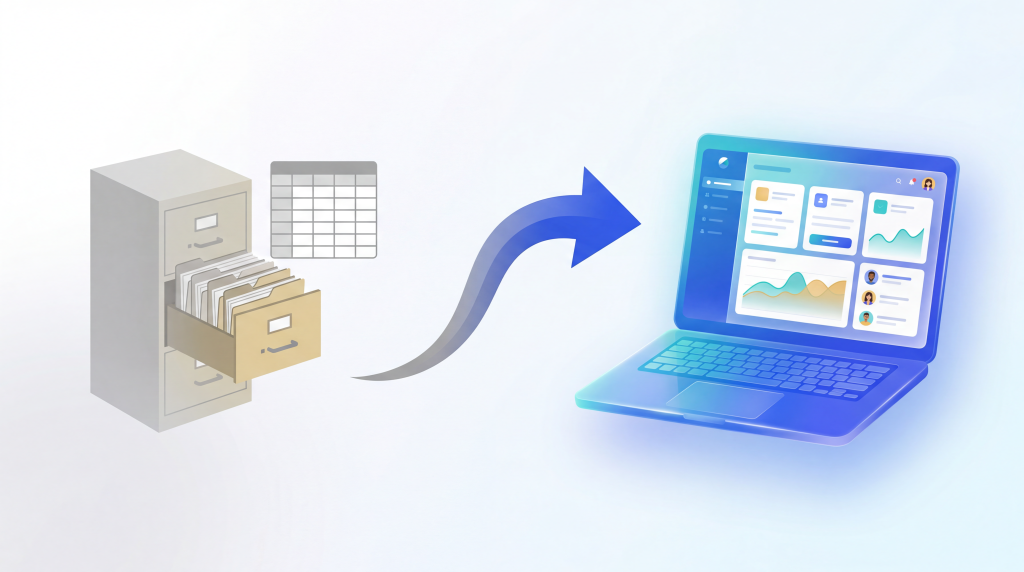
“Digital HR” isn’t about swapping paper for PDFs or buying every HR app on the market. At its core, digital HR management means combining the routine HR admin activities in a single, auditable system so data flows cleanly from time and attendance through payroll and employee records.
The payoff is simple: fewer manual reconciliations, faster month-end closes, and a clearer view of workforce trends that managers can actually use. Cloud-based systems also provide real-time access for frontline teams and managers, which is critical for distributed workforces.
The Business Case: Time, Accuracy, And Trust
There are two industry signals that are worth anchoring your business case on.
First, HR teams often spend a large share of their time on transactional work; studies show HR staff can spend as much as 57% of their time on administrative tasks, time that could be redirected to strategy and people work.
Second, payroll errors are costly: reputable analyses estimate each payroll error can cost several hundred dollars to correct, and widespread errors quickly compound.
These are not theoretical savings; they map directly to headcount, rework, and avoidable churn. Use those figures to model the return on a carefully scoped pilot rather than guessing at benefits.
Plan The Migration: A Phased, Measured Approach
Successful migrations follow a simple pattern: scope, pilot, measure, expand.
- Scope: Start by mapping the most painful processes. For many frontline-heavy organizations, this is scheduling, payroll, time, and attendance inputs. Document the current steps, where errors occur, and which approvals cause delays.
- Pilot: Choose a single, contained business unit to pilot the change, a single plant, store cluster, or region. Limit the pilot to one or two processes (for example, attendance and leave approvals). A focused pilot creates clear before/after metrics and early advocates among managers.
- Measure: Capture baseline metrics for 30–90 days (hours spent on reconciliation, payroll corrections, time-to-fill, manager satisfaction). These numbers make ROI visible and reduce subjective debates.
- Expand: After validating the pilot, expand in waves: add scheduling, then payroll automation, then employee records, and self-service. Each wave should have acceptance criteria and training plans.
This phased model reduces risk and makes the business case provable at every step.
Choose The Right System For Your Team
Not every human resource management system fits every organization. Practical selection criteria matter more than feature lists:
- Mobile-First Usability: For deskless managers and frontline workers, an app that makes clocking in, requesting leave, and checking rosters simple is essential. Bluworks emphasizes mobile-first access for scheduling, attendance, and employee files, a practical advantage for distributed teams.
- Single Source of Truth: The system should remove reconciliation tasks by becoming the canonical place for time, schedules, approvals, and employee documents.
- Security & Privacy: Ensure the vendor has clear data protection policies and access controls so only authorized people see sensitive employee data. Bluworks publishes privacy and data protection materials that outline its approach to securing employee records.
- Realistic Outcomes: Look for vendors that provide measurable indicators (reduced payroll close times, error reductions) rather than vague promises of “digital transformation.”
Prioritise systems that solve the immediate operational pain, integrate cleanly with your payroll or finance stack, and offer clear uptake pathways for managers and employees.
Data Migration: Move Less, Validate More
A common mistake is trying to migrate every field from legacy systems at once. Instead, migrate only essential fields for the pilot: core employee IDs, schedules, recent time punches, and basic payroll-relevant data.
Run the new system in parallel with old processes for at least one full payroll cycle so you can compare outputs and tune rules. Parallel runs reduce risk and build confidence among payroll teams and managers.
Document data cleansing rules, and keep an audit trail of migration decisions. When you finally switch off legacy systems, you’ll have both the data lineage and the change narrative to reassure stakeholders.
Adoption: The Real Multiplier Of Value
Technology succeeds when people use it. Adoption is the multiplier that turns an HR platform into a productivity engine.
- Train Managers First: Managers are the system’s most important users. Equip them to create schedules, approve exceptions, and act on trends.
- Make Self-Service Real: When employees can submit leave, check payslips, and update personal details through the app, HR time for routine inquiries falls. This improves the overall employee experience and preserves data integrity.
- Communicate Early And Often: Use quick videos, short guides, and real examples from the pilot to show benefits in concrete terms (e.g., “no more missed overtime payments”).
- Measure Usage: Track login rates, approval times, and the number of manual interventions pre- and post-implementation.
A platform with strong adoption will usually deliver value long before every technical integration is finished.
Integrations And Payroll: Keep The Reconciliation Simple
A practical migration prioritizes the path from time and attendance to payroll. Automating the feed of verified hours into payroll calculations removes a major source of monthly friction.
If your HRMS doesn’t include full payroll processing, ensure it produces reliable, auditable payroll input files that match your payroll provider’s expectations. Test these outputs during the pilot payroll run to avoid last-minute exceptions.
Bluworks offers payroll automation and secure employee digital files as part of its product suite; use vendor documentation and test scenarios to validate payroll outputs before switching fully.
Governance, Compliance, And Privacy
Migrating HR processes touches sensitive personal data. Create a governance checklist that includes:
- Clear ownership of employee data and access permissions.
- Retention and deletion policies for personal documents.
- A plan for handling payroll disputes during the transition.
- Regular audits and a rollback plan for critical failures.
Document these items before you go live. A governed migration reduces legal risk and builds trust with staff who may worry about what the new system means for their records.
Measuring Success: The Right KPIs
Track both operational and strategic KPIs:
- Operational: Hours saved on reconciliation, payroll correction rate, time to close payroll, and number of manual overrides per payroll.
- Strategic: Time-to-productivity for new hires, manager satisfaction with scheduling, and frontline retention rates.
Translate hours saved into a dollar figure using HR hourly rates and compare that against the subscription or migration cost. For most organisations with heavy manual effort, the math favors automation within a reasonable payback window, but only if adoption and measurement are part of the plan.
Common Pitfalls And How To Avoid Them
- Trying To Do Everything At Once: Scope narrowly and expand in waves.
- Ignoring Mobile Users: If the frontline can’t use the system easily, adoption will fail.
- Underestimating Change Management: Communication and manager training are as important as technical readiness.
- Skipping A Parallel Payroll Run: Always validate payroll outputs before switching off legacy processes.
Address these risks with straightforward governance, time-bound pilots, and measurable acceptance criteria.
Conclusion: Digital HR Management That Works For People
Migrating to digital HR management is a change in how your organization operates, not a one-off IT project. By scoping a focused pilot, migrating only essential data, prioritizing mobile-first adoption, and measuring practical KPIs, you reduce disruption and prove value fast.
Platforms built for frontline workforces, like Bluworks, are designed to centralize scheduling, attendance, payroll inputs, and employee files in one place, which helps HR teams move from reconciler to strategic partner.
When migration is practical, measured, and people-centered, digital HR stops being a risk and becomes a capability that improves accuracy, saves time, and strengthens trust across the business.
Frequently Asked Questions
How long should a pilot take?
Expect a pilot to run for 60–90 days. That timeframe lets you collect baseline metrics, run a parallel payroll cycle, and gather user feedback.
Which HR areas deliver the fastest wins?
Time and attendance, scheduling, and payroll inputs typically show the quickest operational ROI because they are high-frequency processes with measurable outputs.
How do I compare the cost of migration to ongoing benefits?
Translate hours saved and error reduction into dollar figures, compare them to subscription and one-time migration costs, and model payback over 6–18 months, depending on your size and turnover.
Will a cloud-based HRMS work for frontline teams with limited connectivity?
Modern mobile-first platforms are designed to handle intermittent connectivity and sync data when a device reconnects. Assess offline capabilities during vendor demos and pilots to ensure reliability for your field teams.