HR system implementation is a big step forward — done right, it automates the repetitive stuff, pulls employee data into one place, sharpens reporting, and makes life better for HR and employees alike.
But picking good software is only half the battle. Plenty of implementations still stumble — not because the tool was wrong, but because the rollout itself was rushed, under-planned, or built on expectations that never quite matched reality.
Knowing where these projects tend to go sideways is the best way to avoid the same delays. This guide walks through the most common implementation mistakes, what a good rollout actually looks like, and how the right HR software supports things once you’re past launch day.
Why HR System Implementation Actually Matters
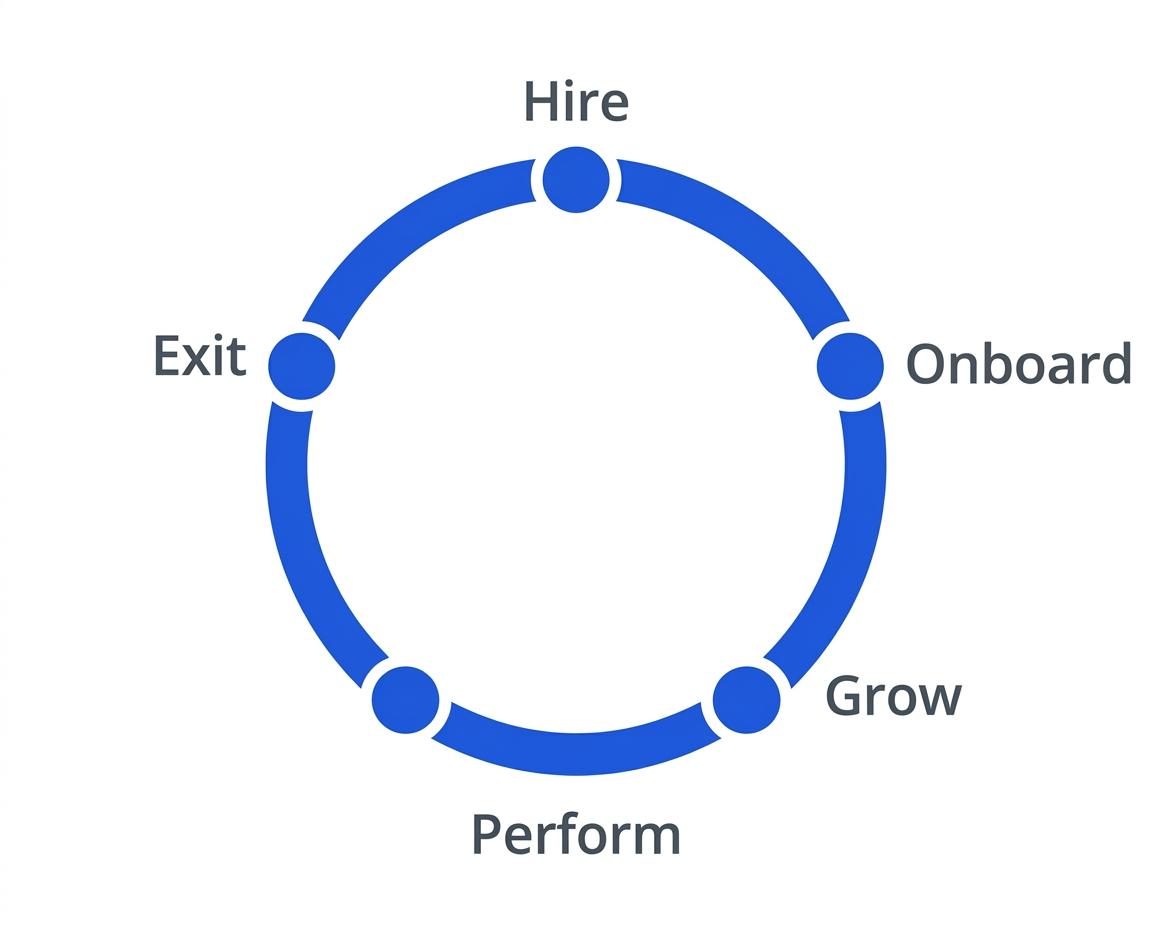
A well-run HR system rollout pays off for everyone involved. Done right, it helps you:
- Cut admin time. Less time buried in manual tasks, more time on things that matter.
- Automate the repetitive stuff. Leave requests, approvals, attendance, record-keeping — all handled without someone manually pushing paper through.
- Bring data together. Employee information lives in one secure place instead of being scattered across five different spreadsheets.
- Improve reporting. Better data means better decisions, for both HR and leadership.
- Improve the employee experience. Self-service tools mean faster answers and less waiting on HR for routine requests.
- Free HR up for strategic work. Less admin, more time on recruitment, development, and workforce planning.
- Support growth. A system that scales with the company instead of buckling as headcount climbs.
Where HR System Implementation Can Go Wrong
Even great software can underdeliver if the rollout isn’t handled well. Here’s where things typically fall apart.
1. No Clear Goals Going In
A lot of organizations jump into implementation without really defining what success looks like. Before you start, get specific about what you’re trying to fix — less manual work, better reporting, simpler leave management, stronger performance tracking, better self-service.
Clear goals make every decision along the way easier, and they give you something concrete to measure once you’re live.
2. Choosing Software Before Understanding What You Actually Need
Picking a system because it’s trendy — rather than because it fits your actual workflows — tends to create more complexity than it solves.
Get input from the people who’ll actually be affected: HR, department managers, IT, and leadership. Their perspective helps make sure the system fits both today’s operations and where the company’s headed.
3. Overlooking Data Quality
Migrating employee records is one of the most important parts of any rollout — and one of the easiest to rush. If outdated, duplicate, or incomplete records get carried over, those same problems just show up again on the other side.
Before migrating anything:
- Review existing records
- Clear out duplicates
- Fix outdated information
- Double-check key employee details
Clean data going in makes for a much more solid foundation.
4. Underestimating Change Management
A new system changes how people actually do their jobs day to day. Without solid communication, people tend to resist it — or quietly keep using their old workarounds.
Good change management means:
- Explaining why the change is happening
- Making the benefits to employees clear
- Addressing concerns before they turn into resistance
- Keeping people in the loop the whole way through
Help people understand the “why,” and adoption tends to follow a lot more naturally.
5. Skimping on Training
Not everyone uses the system the same way, so training shouldn’t look the same for everyone either.
- HR admins likely need deeper training on reporting and system config
- Managers need help with approvals and performance workflows
- Employees mostly just need the basics — updating info, requesting leave, finding documents
Role-based training helps people actually feel confident using the thing from day one, instead of fumbling through it.
6. Skipping Proper Testing
Going live without testing is asking for trouble. Before launch, run through the key workflows — records, leave requests, approvals, reports, notifications — and catch problems while they’re still easy to fix.
7. Trying to Launch Everything at Once
It’s tempting to flip every feature on simultaneously, but that usually just overwhelms people and slows adoption down.
A phased approach tends to work better — start with the essentials (records, leave, attendance), let people get comfortable, then layer in more advanced pieces like performance management or learning and development.
8. Not Tracking Results After Launch
Going live isn’t the finish line. Keep an eye on whether the system’s actually delivering what you expected. Worth tracking:
- Adoption rates
- How fast HR processes are actually completed
- Employee satisfaction
- Help desk volume
- Data accuracy
Regular check-ins here are what turn a one-time rollout into something that keeps improving.
What a Good Implementation Actually Looks Like
A few practices that tend to make the difference:
- Set clear goals before the project even starts
- Build a realistic timeline with achievable milestones
- Involve HR, IT, managers, and leadership throughout — not just at kickoff
- Assign someone to actually own the project
- Clean employee data before migrating
- Train by role, not one-size-fits-all
- Keep communicating before and after launch
- Watch performance closely once it’s live
- Keep refining based on feedback and changing needs
Spending the time upfront on planning almost always saves a lot more time down the line.
A Simple Implementation Checklist
Before you flip the switch, make sure you’ve covered:
- Business objectives, clearly defined
- Stakeholders identified
- Employee data audited and cleaned
- System configured to fit your actual needs
- Key workflows tested
- HR, managers, and employees trained
- System launched
- Adoption and performance monitored
- Employee feedback gathered
- Processes are continuously refined afterward
Treat this as an ongoing effort rather than a one-and-done project, and it’s a lot more likely to actually pay off long-term.
Where HR Software Fits Into the Long Game
Getting the system live is just the start. For it to keep delivering value, it needs to grow alongside the organization. Good HR software should help you:
- Automate routine tasks
- Centralize workforce data
- Sharpen reporting and analytics
- Support employee self-service
- Simplify performance management
- Scale as the business grows
Having all of this in one platform cuts down on admin work while making the whole HR function run more smoothly.
Platforms like bluworks are built to make implementation smoother and give organizations the tools to manage their workforce effectively as they keep growing.
Wrapping Up
A successful HR system rollout takes more than just picking good software. Clear goals, careful planning, clean data, solid training, and ongoing refinement all play a part in making it actually stick.
With bluworks, organizations can streamline HR processes, get clearer visibility into their workforce, and roll out new technology with a lot more confidence.
Frequently Asked Questions
Why do HR system implementations fail?
Usually, it comes down to unclear goals, weak planning, messy data, thin training, missing stakeholder buy-in, or change management that wasn’t handled well. Getting ahead of these early makes a real difference.
How long does implementation usually take?
It depends on organization size, process complexity, and how many features you’re rolling out all factor in. Realistic timelines and thorough testing go a long way toward keeping things on track.
What actually makes implementation successful?
Clear goals, the right people involved early, clean data before migration, solid testing, role-based training, and staying engaged with adoption and feedback well after launch.