Keeping HR documentation in order isn’t exactly the flashy side of the job, but it’s one of the most important. Solid, current documentation is what lets HR actually manage people efficiently, stay compliant, and make good calls throughout someone’s time with the company.
On the flip side, missing or outdated records create headaches you didn’t need — extra admin work, compliance risk, and a scramble anytime an employee request or an audit shows up unannounced.
Whether you’re a five-person startup or a thousand-person company, having a clear documentation checklist keeps your records complete, secure, and manageable.
This guide covers the essential HR documents worth maintaining, best practices for handling employee records, and where HR software can take some of the weight off.
Why HR Documentation Matters
Good documentation isn’t just a compliance checkbox — it pays off for the whole organization. It helps you:
- Keep things organized. Important records live in one spot instead of buried in someone’s inbox.
- Stay compliant. The records employment law actually requires, kept where you can find them.
- Improve efficiency. Less time spent hunting for paperwork or chasing down updates.
- Simplify audits. Internal reviews and external audits go a lot smoother with everything already in order.
- Support better management. Managers and HR get accurate information for hiring, reviews, and development decisions.
- Protect the business. Clean records give you a clear paper trail if a workplace dispute ever comes up.
- Improve the employee experience. Accurate records mean faster, smoother support for leave, payroll, benefits — the stuff people actually notice.
HR Documentation Checklist
Every organization’s needs differ slightly, but these records form the backbone of solid HR management.
1. Employee Personal Information
Every employee needs a complete, accurate personnel file — full name, contact info, emergency contacts, ID documents, and proof of employment eligibility.
Keeping this current means HR can reach people quickly and respond fast when something important comes up.
2. Employment Contracts
These spell out the actual relationship between the company and the employee — job title, pay, hours, terms, confidentiality agreements, and any amendments along the way.
Current contracts mean both sides actually know what they’ve agreed to, instead of relying on memory.
3. Job Descriptions
Every role deserves a clear, up-to-date description — key responsibilities, required skills, reporting lines, performance expectations.
These quietly support recruitment, onboarding, reviews, and career planning, and they help employees know exactly what’s expected of them.
4. Company Policies and Employee Handbook
People need easy access to the rules — code of conduct, leave policy, attendance, remote work, health and safety, IT and data security.
Keep these current, and employees know what’s expected while HR applies the rules consistently across the board.
5. Payroll and Compensation Records
This one’s non-negotiable for both finance and compliance — salary info, payroll history, bonuses, benefits documentation, tax records.
Accurate payroll records mean fewer payment errors and much smoother financial reporting.
6. Attendance and Leave Records
Tracking attendance helps manage staffing, payroll, and leave balances properly — attendance history, leave balances, vacation requests, sick leave, overtime.
Keep this accurate, and workforce planning gets easier, and policies get applied fairly instead of inconsistently.
7. Performance Management Documents
This is how managers track progress and support growth over time — performance reviews, goal-setting documents, improvement plans, feedback records.
A real history here makes decisions around promotions and development a lot fairer and easier to defend.
8. Learning and Development Records
Employee growth deserves its own paper trail too — training completions, certifications, skills assessments, development activities.
These help HR spot skill gaps and plan future training instead of guessing.
9. Employee Disciplinary Records
Sometimes conduct or workplace issues need to be documented — written warnings, investigation notes, corrective action plans, resolution outcomes.
Keep this objective and fact-based, always. Clear records mean fair, consistent handling every time.
10. Offboarding Documents
Documentation doesn’t stop when someone leaves — resignation letters, exit interview notes, final payroll paperwork, asset return forms, knowledge transfer records.
These close out the employee lifecycle properly and help protect continuity for whoever picks up the work next.
Best Practices for Managing HR Documentation
Keeping all this in order is an ongoing job, not a one-time project. A few things that help:
- Keep records current. Review and update whenever employment details change — don’t wait for an annual cleanup.
- Store things securely. Sensitive employee information deserves real protection, not a shared folder anyone can access.
- Limit access. Only people who actually need it should be able to see confidential HR documents.
- Standardize. Consistent templates and processes mean better record quality across departments.
- Review and archive regularly. Clear out what’s outdated per your retention policy, but keep what’s actually required.
- Go digital. Paper files are a pain to search, update, and secure compared to digital records.
- Follow local regulations. Data protection and retention rules vary — make sure your documentation actually complies.
Common HR Documentation Mistakes
Even organized HR teams slip up sometimes. Watch for:
- Missing key employee records
- Inconsistent documentation across departments
- Info that’s gone stale
- Weak security practices
- Duplicate records nobody needed to keep
- Forgetting to update after a promotion, transfer, or raise
- Still relying entirely on paper filing
Catching these early keeps records clean and cuts down on unnecessary admin headaches.
How HR Software Simplifies HR Documentation
As a company grows, keeping all this straight by hand gets messy fast — records end up scattered across paper files, spreadsheets, email attachments, and half a dozen systems nobody fully trusts.
HR software solves that by pulling everything into one secure platform. With the right system, you can:
- Centralize employee documents
- Store records digitally
- Automate updates
- Tighten document security
- Control who has access
- Simplify reporting
- Cut down on paperwork
- Improve compliance
Having it all in one place means HR can actually find what they need quickly, keep records accurate, and spend less time on admin busywork.
Platforms like bluworks help organizations keep HR documentation organized and secure, giving HR teams fast access to the information they need to support employees well.
Conclusion
Solid HR documentation is the foundation everything else in people management sits on. Keep records accurate, secure, and current, and you improve efficiency, stay compliant, and give employees a better experience at every stage of their time with the company.
With bluworks, organizations can centralize documentation, simplify record management, and free HR teams up to focus on the work that actually moves the business forward.
Frequently Asked Questions
What HR documents should every company maintain?
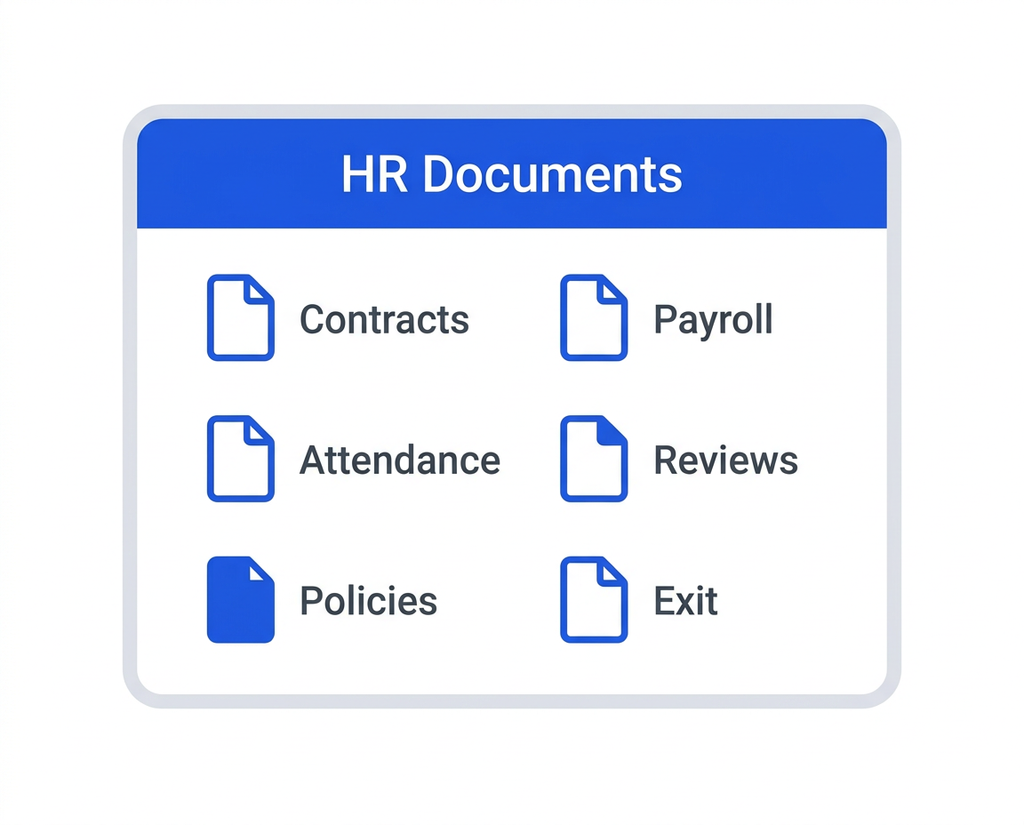
Personal employee records, employment contracts, job descriptions, company policies, payroll records, attendance and leave records, performance reviews, learning and development records, disciplinary documentation, and offboarding paperwork.
Why is HR documentation important?
It keeps the organization compliant, simplifies audits, supports better employee management, protects the business during disputes, and makes HR services faster and more reliable.
How can HR software improve document management?
It centralizes records, tightens security, automates updates, cuts down on paperwork, and gives HR quick access to the information they need as the organization grows.